
Most people use Google Gemini like a fancy search bar. They type a question, skim the answer, and move on — completely unaware that they’re sitting on one of the most powerful AI ecosystems ever built.
Gemini isn’t just a chatbot. With a multi-million token context window, tight Google Workspace integration, and multimodal capabilities that handle text, images, audio, and video, it’s closer to an autonomous AI assistant than anything we’ve had before.
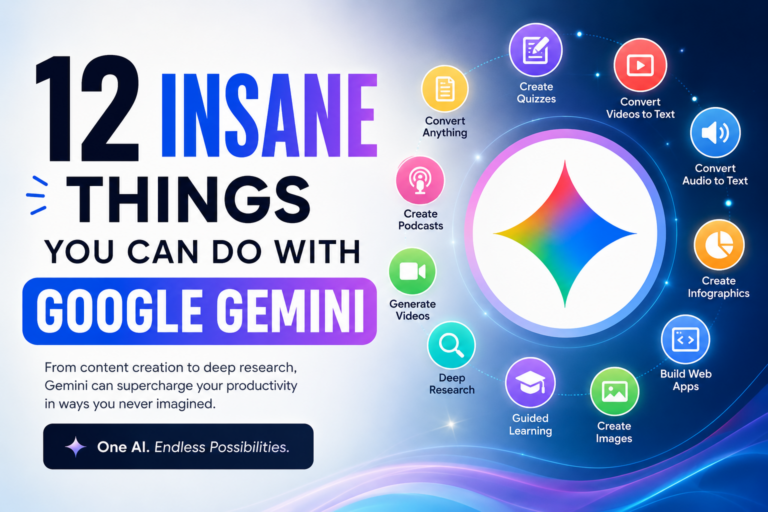
Here are 12 genuinely powerful things Google Gemini can do — and how you can start using them right now.
1. Turn Any YouTube Video Into a Polished Written Asset
Forget copy-pasting transcripts. You can drop a full YouTube link — or upload an MP4 directly — and Gemini will process the video frame-by-frame, understanding both the visuals and the audio together.
That means you can:
- Extract key insights with precise timestamps
- Convert a 2-hour product demo into step-by-step onboarding documentation
- Turn a video interview into a fully formatted, publish-ready blog post
This is a game-changer for content repurposing, especially for creators, marketers, and course builders who sit on hours of recorded material.
2. Generate a Real AI Podcast from Your Documents
Got a pile of PDFs, research papers, or long-form articles? Gemini’s Audio Overviews feature can transform them into a banter-style conversation between two AI hosts — complete with natural back-and-forth discussion.
The result is a 5–10 minute audio track that distills your documents into something you can actually listen to on a commute. No editing, no recording, no production work.
It’s one of the most underrated features in the entire AI space right now.
3. Build a Functional Web App Without Writing a Single Line of Code
Gemini Canvas lets you describe an application in plain English — and then builds it for you.
Say something like: “Build an interactive tool to track my freelance client packages, calculate recurring revenue, and visualize monthly growth.” Gemini writes the HTML, CSS, and JavaScript, then renders a fully clickable prototype inside your chat window.
You can test it, tweak it, and iterate in real time. No developers. No coding bootcamp required.
Pro tip for freelancers: This is perfect for building quick client-facing tools or internal dashboards without hiring a developer.
4. Run Deep Research on Any Topic Automatically
Manual research is slow. You open 20 tabs, take scattered notes, and still aren’t sure if you’ve covered everything.
Gemini’s Deep Research mode changes this entirely. Give it a complex objective — like comparing the top five cloud hosting platforms across pricing, performance, and security — and it autonomously executes multi-step web searches, filters out low-quality sources, evaluates findings, and delivers a structured briefing document.
It’s like having a research analyst on demand, available at any hour.
5. Build Custom AI Agents for Your Exact Workflow
If you’re pasting the same instructions into Gemini every single day, you’re wasting time. Gems — Gemini’s custom AI agents — let you build a permanent, specialized assistant that already knows your context.
You can create a Gem that acts as:
- A strict code reviewer for your tech stack
- An SEO blog strategist with your brand voice baked in
- A contract analyst trained to flag specific risk patterns
Every new session inherits that persona and all the files you’ve attached. It’s persistent, personalized, and ready to go the moment you open the chat.
6. Chain Tasks Across Your Entire Google Workspace
This one is legitimately mind-blowing for productivity. With Google Workspace extensions enabled, Gemini can string together multi-app workflows from a single instruction.
For example:
“Analyze this server logs spreadsheet → summarize the critical errors → draft a professional update email to the client in Gmail → create a calendar reminder to follow up tomorrow.”
Gemini executes the entire sequence — across Sheets, Gmail, Docs, and Calendar — without you ever switching tabs. For anyone managing client projects or remote teams, this alone is worth learning.
7. Generate 4K Cinematic Videos With Synchronized Audio
Gemini’s integration with Veo moves AI video far beyond the shaky, glitchy clips you’ve probably seen before.
Using detailed text prompts, you can generate 4K video clips that follow realistic physics — and now include native, synchronized audio like ambient sound effects and dialogue. It’s built for prototyping ad creatives, cinematic storyboards, and social content at a quality level that was simply impossible a year ago.
8. Learn Any Complex Skill With an AI Tutor That Won’t Just Give You the Answers
Here’s a smarter way to learn. Gemini’s Learning Coach Gem acts as a live tutor — but crucially, it refuses to hand you the solution directly.
Instead, it:
- Breaks down concepts step by step
- Uses analogies tailored to your background
- Forces you through comprehension checks and mini-quizzes before moving on
Whether you’re trying to master advanced SQL, cloud architecture, or a new programming language, this approach builds real understanding rather than just giving you something to copy.
9. Design Production-Ready Graphics With Precise Control
Nano Banana, Gemini’s design-focused model, is built for functional, professional graphic design — not generic AI art.
You can control camera angles, adjust lighting, blend multiple reference images into seamless mockups, and overlay sharp, perfectly rendered text. The output is suitable for landing page hero sections, marketing banners, and technical diagrams — the kind of work that would normally require a skilled designer and a few hours in Figma.
10. Analyze Contracts and Fight Back Against Unfair Terms
Dense legal language is designed to be confusing. Gemini can cut through it.
Upload a company’s terms of service alongside an email thread where a vendor is changing their policies or denying a refund. Gemini will scan the entire document, flag clauses that lack legal precedent or cross a line, and draft a firm, professional response that actually holds up.
It won’t replace a lawyer for serious matters — but for everyday consumer disputes, subscription traps, and shady contract edits, it’s a genuinely powerful advocate.
11. Use Thinking Mode to Solve Hard Logic and Debugging Problems
Standard AI models can hallucinate answers on complex problems — jumping to a conclusion that sounds right but contains a subtle error buried in the reasoning.
Switching Gemini to Thinking Mode forces the model to visually map out its reasoning step by step, cross-examine its own logic, and catch edge-case errors before delivering a final answer. For complex debugging sessions, mathematical proofs, or system architecture decisions, this dramatically improves accuracy and trustworthiness.
12. Use Gemini Live as a Real-Time Travel and Language Companion
Gemini Live on mobile is unlike anything else available right now. Activate your camera, point it at the world around you, and Gemini becomes a real-time visual assistant.
It can:
- Translate signs on the fly as you walk through a foreign city
- Act as a museum tour guide, explaining what you’re looking at in real time
- Run a live, back-and-forth spoken conversation to help you practice a new language with correct pronunciation
It’s the closest thing we have to the universal translator from science fiction — and it fits in your pocket.
Final Thoughts: Stop Using Gemini Like a Search Engine
The gap between how most people use Gemini and what it’s actually capable of is enormous. Whether you’re a freelancer automating client workflows, a creator repurposing content at scale, or someone who just wants to learn faster and work smarter — these features are already available to you.
Pick one from this list. Try it today. You’ll wonder how you worked without it.
Found this useful? Share it with someone who still thinks AI is just a chatbot.

0 Comments