
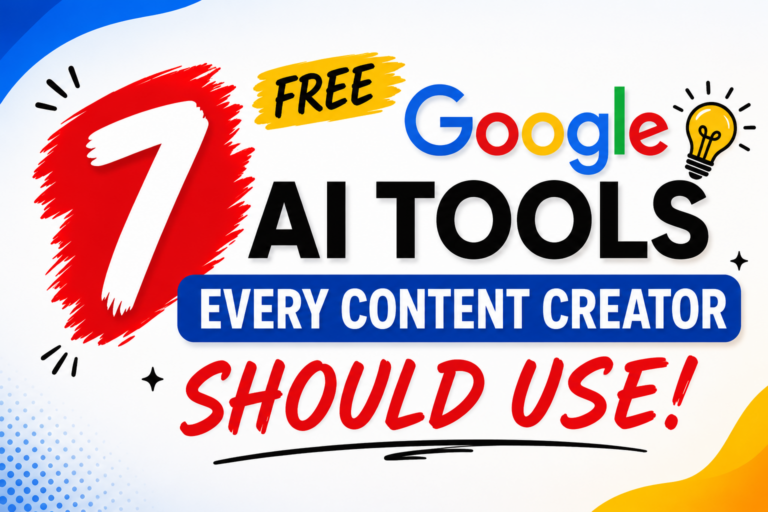
Stop wasting hours doing what AI can do in seconds. Here’s your complete guide to the 7 free Google AI tools that are quietly changing the game for content creators worldwide.
The Problem Every Content Creator Knows Too Well
Meet Alice. She runs a YouTube channel about personal finance. Every week, she spends Monday brainstorming video ideas, Tuesday scripting, Wednesday filming, Thursday editing, Friday designing thumbnails, and Saturday writing captions and blog posts. By Sunday, she’s exhausted — and the cycle starts again.
Sound familiar?
Whether you’re a solo blogger, a social media manager, or a full-time YouTuber, content creation is brutally time-consuming. The ideas need to be fresh. The writing needs to be sharp. The visuals need to pop. And somehow, all of this needs to happen fast — because the algorithm waits for no one.
The good news? Google has quietly built a suite of powerful AI tools that are completely free to use. And most content creators have no idea they exist.
In this post, we’re going to walk through all 7 of them — what they do, how to use them, and exactly how they can save you hours every single week.
Why These Google AI Tools Matter Right Now
Before we dive into the tools, let’s be clear about something: AI isn’t here to replace content creators. It’s here to make them faster, smarter, and more consistent.
The creators who are winning right now aren’t the ones with the biggest budgets or the most followers. They’re the ones who’ve figured out how to produce more high-quality content in less time. And AI is the single biggest lever they’re pulling.
Google — one of the most data-rich companies on the planet — has been building AI tools for years. And in 2026, many of their most powerful tools are available to anyone with a Google account, for free.
Let’s meet them one by one.
Tool #1: NotebookLM — Turn Any Document Into a Content Gold Mine

Best for: Bloggers, researchers, podcast creators, educators
Imagine you’ve just finished reading a 60-page industry report. Normally, you’d spend two hours pulling out the key points to write a blog post or script a video. With NotebookLM, that process takes about 30 seconds.
NotebookLM is Google’s AI-powered research and note-taking tool. You upload your documents — PDFs, Google Docs, web pages, even YouTube transcripts — and it reads and understands them. Then you can ask it questions, request summaries, generate FAQs, pull out key insights, and even create structured outlines for content.
How content creators actually use it:
Say you’re a fitness creator and you want to make a video about a new study on sleep and muscle recovery. You paste the research paper into NotebookLM and ask: “Summarize this in simple language and give me 5 video hook ideas based on the findings.” In seconds, you have your foundation.
Or maybe you’re a travel blogger. You dump your entire notes from a two-week trip into NotebookLM and ask it to organize everything into a structured blog post outline. Done.
The real magic: NotebookLM doesn’t just retrieve information — it synthesizes it. It understands context and can connect ideas across multiple documents at once. This makes it a game-changer for anyone who creates content based on research.
SEO tip: Use NotebookLM to quickly analyze competitor articles and identify gaps. Paste them in and ask: “What topics are missing from this piece?” Then write the article that covers what others don’t.
Tool #2: Gemini — Your AI Writing Partner Who Never Sleeps

Best for: Writers, social media managers, email marketers, all-around creators
If you’ve ever stared at a blank document not knowing how to start, Gemini is about to become your best friend.
Gemini is Google’s flagship AI assistant, and it’s genuinely impressive. Unlike basic AI writing tools, Gemini understands nuance. It can write in different tones — casual, professional, conversational, witty — and it can handle a huge range of content types.
Need a YouTube script? Gemini can write it. Blog post intro? Done. Ten caption variations for your Instagram post? Give it 30 seconds. Cold email to a brand for collaboration? Gemini will draft something better than you’d write at 10 PM on a Tuesday.
Real use cases for creators:
- Write full video scripts from a bullet-point outline
- Generate 10 different thumbnail text ideas for A/B testing
- Rewrite a blog post at a different reading level
- Create email newsletter drafts from scratch
- Brainstorm a month’s worth of content ideas in one go
What makes Gemini different from other AI writers?
Gemini is deeply integrated with Google Search, which means it often pulls in more current, accurate information than older AI tools. It also connects with Google Workspace — so if you’re working in Google Docs, Slides, or Gmail, Gemini can work right inside those tools.
Pro tip: Don’t just ask Gemini to “write a blog post.” Give it context. Tell it your audience, your tone, your goal, and any key points you want included. The more specific your prompt, the better the output.
Tool #3: Imagen — Create Stunning Visuals Without a Designer

Best for: Social media creators, bloggers, marketers, anyone who needs custom images
Here’s a problem every content creator runs into: you need a specific image that doesn’t exist on stock photo sites. Maybe it’s a concept you’re trying to visualize, or a thumbnail idea that’s too unique to find anywhere.
Imagen solves this. It’s Google’s AI image generator, and it’s remarkably good at producing high-quality, detailed images from simple text descriptions.
How it works: You type a description — called a “prompt” — and Imagen generates a unique image. The more descriptive your prompt, the better the result.
For example: “A cozy home office with warm lighting, a laptop, a cup of coffee, and a plant on the desk, photorealistic style.” Imagen will produce an image that looks like it was taken by a professional photographer.
Where content creators use Imagen:
- YouTube thumbnails (no more awkward stock photos)
- Blog post featured images
- Social media graphics and mood boards
- Presentation visuals
- Ad creatives for sponsored content
Why this matters: Stock photo sites give you generic images that thousands of other creators are also using. Imagen gives you completely unique visuals that no one else has — every single time.
Quick tip: Experiment with style descriptors like “flat illustration,” “watercolor,” “cinematic,” or “3D render” to get wildly different looks from the same concept.
Tool #4: Veo — Turn Your Ideas Into Videos Without a Camera

Best for: Video creators, marketers, social media managers, anyone exploring video content
Video is the most consumed type of content on the internet. The problem? Creating video traditionally requires filming, editing, equipment, and skills that take years to develop. Veo changes all of that.
Veo is Google’s AI video generation tool. You describe what you want to see — in plain English — and Veo generates a high-quality video clip. No camera. No editing software. No crew.
What can Veo create?
- Cinematic B-roll footage for YouTube videos
- Short promotional clips for social media
- Explainer animations
- Product showcase videos
- Background clips for Reels and TikToks
Imagine this scenario: You’re a food blogger. You want a 5-second clip of steam rising from a bowl of ramen for your Instagram Reel. Without Veo, you’d need to cook, film, light it properly, and edit. With Veo, you type: “Close-up of steaming ramen in a ceramic bowl, soft restaurant lighting, cinematic.” Done.
The content opportunity: AI video generation is still in its early stages, which means creators who learn it now will have a massive advantage as the technology matures. Early adopters always win.
Note: Veo is rolling out access progressively. Check Google Labs for the latest availability.
Tool #5: Google AI Studio — Build Your Own AI Tools (No Coding Needed)

Best for: Tech-curious creators, agencies, power users, content automation enthusiasts
This one sounds intimidating, but stick with it — because Google AI Studio might be the most powerful tool on this list for serious content creators.
Google AI Studio is a platform where you can build, test, and experiment with AI models. Think of it as a place where you can create your own custom AI assistant — one that’s trained specifically for your content niche, your brand voice, and your workflow.
Here’s a real example: You could build a custom AI tool that takes any URL you paste in, reads the article, and automatically generates:
- A Twitter/X thread
- An Instagram carousel outline
- A LinkedIn post
- A newsletter summary
All at once. Every time. In seconds.
Or you could build a tool that checks every piece of content you write for brand voice consistency. Or one that generates 20 YouTube title variations whenever you paste in a video summary.
Why this matters for creators: As AI becomes mainstream, the creators who win will be the ones who’ve built systems — not just those who use AI one task at a time. Google AI Studio is your toolbox for building those systems.
Good news: You don’t need to be a programmer to use Google AI Studio. The interface lets you experiment with prompts and workflows visually, and Google provides templates to help you get started.
Tool #6: TextFX — Level Up Your Writing Creativity

Best for: Copywriters, bloggers, social media creators, anyone who writes for a living
Ever read a piece of content and thought, “I wish I could write like that”? Chances are, that writer has found techniques to make their words more vivid, more memorable, and more engaging. TextFX is a tool that helps you do exactly that — on demand.
TextFX is a creative writing tool built by Google in collaboration with rapper and songwriter Lupe Fiasco. Yes, really. It was originally designed to help musicians and poets find new ways to play with language — but it’s incredibly useful for content creators too.
The tools inside TextFX:
- Simile — Generate creative similes for any concept (“Content marketing is like…”)
- Explode — Break down a word into all the ideas it represents
- Unexpect — Find surprising, counterintuitive angles on a topic
- Chain — Create unexpected word associations
- POV — Describe a concept from an unusual perspective
- Alliteration — Find alliterative phrases for more memorable writing
- Fuse — Combine two unrelated ideas into something new
- Scene — Build vivid sensory descriptions
How creators actually use it: You’re writing a blog post about productivity and you’re stuck on the intro. You plug “productivity” into TextFX’s Simile tool and get: “Productivity is like a muscle — the more you train it, the stronger it gets, but push too hard and you’ll pull something.” There’s your opener.
TextFX helps you break out of clichés and find angles that make your content genuinely interesting to read.
Tool #7: Google Colab — Run Powerful AI Projects in the Cloud, Free

Best for: Tech-forward creators, data journalists, automation enthusiasts, newsletter creators
Google Colab is where content creation meets the power of cloud computing — for free.
Colab is a browser-based coding environment where you can run Python code on Google’s servers. Now, before you click away — you don’t need to be a developer to benefit from this tool. Thousands of free, ready-to-use Colab notebooks exist for tasks like:
- Transcribing audio/video files to text automatically
- Removing backgrounds from images in bulk
- Processing large datasets for data-driven articles
- Running AI models that are too heavy for your laptop
- Automating repetitive content tasks
A practical example for non-coders: You find a pre-built Colab notebook that transcribes YouTube videos. You paste in a link, click run, and minutes later you have a full transcript — no subscription fees, no software to install.
For more advanced creators: You can use Colab to run custom AI workflows, experiment with open-source language models, process large batches of images or videos, or automate the distribution of your content across platforms.
Why Colab is worth exploring: As AI tools multiply, the creators who understand how to customize and automate them will produce dramatically more output than those who rely purely on off-the-shelf apps.
How to Use All 7 Tools Together: A Real Content Creator Workflow
Let’s put it all together with a real workflow example. Say you’re creating a week’s worth of content on the topic of “How to Save Money on Groceries.”
Monday — Research & Ideation: Upload 3 articles and a consumer report into NotebookLM. Ask it for key insights and content angle ideas. Use TextFX to brainstorm creative hooks and headlines.
Tuesday — Writing: Take the outline from NotebookLM and feed it to Gemini. Ask Gemini to write a full blog post, a YouTube video script, and 10 social media captions — all in your brand voice.
Wednesday — Visuals: Use Imagen to generate a featured image for the blog post and thumbnail concept for YouTube. Use Veo to generate a short B-roll clip of a grocery store scene for your Instagram Reel.
Thursday — Automation: Set up a simple workflow in Google AI Studio that automatically formats any future content you create into multiple platform formats at once.
Friday — Publish and Analyze: If you’ve got data you want to visualize (like a comparison of grocery prices), fire up Google Colab to process the numbers and build a simple chart.
One topic. Multiple pieces of content. All done in a fraction of the time it would normally take.
Frequently Asked Questions
Are all these tools actually free?
Yes. All seven tools mentioned in this article have free tiers. Some (like Veo and Imagen) may have usage limits or limited access through Google Labs while they’re in early release, but the core functionality is available at no cost.
Do I need technical skills to use these?
No. NotebookLM, Gemini, TextFX, and Imagen are all completely beginner-friendly. Google AI Studio and Colab have more of a learning curve, but there are plenty of beginner tutorials available.
Can I use these tools for commercial content?
Google’s terms of service generally allow content created with these tools to be used commercially. Always check the latest terms on Google’s official pages for each product, as they can be updated.
How do these compare to paid AI tools like ChatGPT Plus or Midjourney?
These free Google tools are genuinely competitive. Gemini competes directly with GPT-4. Imagen rivals Midjourney for many use cases. For most creators, these free tools will be more than enough.
The Bottom Line: Start Using These Tools Today
The content creation landscape is shifting fast. The creators who adapt — who embrace AI as a creative partner rather than a threat — are the ones who will thrive.
You now know about 7 free, powerful Google AI tools that can help you:
- Save hours on research and writing
- Create better visuals without design skills
- Produce video content without a camera
- Automate repetitive tasks in your content workflow
- Unlock new levels of creativity in your writing
The question isn’t whether to use AI tools. The question is whether you’ll start using them before your competitors do.
Pick one tool from this list — just one — and spend 20 minutes experimenting with it today. By the end of the week, you’ll wonder how you ever created content without it.
Found this helpful? Save this article for later and share it with a fellow creator who could use a productivity boost. And if you want more actionable guides on AI tools for creators, hit follow — we cover this every week.

0 Comments