
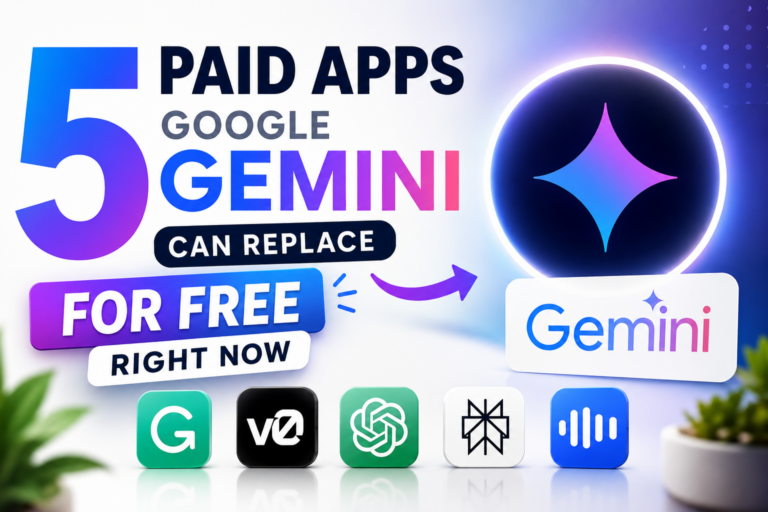
Are you still paying monthly subscriptions for AI writing tools, code generators, or research apps? You might be throwing money away. Google Gemini has quietly grown into one of the most powerful AI platforms available — and it can already do what many of your paid tools do, completely free.
In this article, we break down 5 popular paid apps that Google Gemini replaces right now, what features make it possible, and exactly how much you could be saving every month.
Why Google Gemini Is a Game-Changer in 2026
Google Gemini is no longer just a chatbot. It now comes packed with a native coding sandbox, a live document workspace, a massive context window, real-time Google Search integration, and multimodal file support. Together, these features make it a genuine all-in-one productivity powerhouse — without the subscription price tag.
Let’s break down which paid apps you can cut today.
1. Grammarly Premium / Copy.ai → Replaced by Gemini Canvas
What you’re paying: $12 – $36/month
What Gemini gives you for free: Inline Writing & Editing via Canvas
Grammarly Premium’s biggest selling point is its ability to rewrite sentences for tone, clarity, and structure — not just spelling. Copy.ai goes further and helps you generate marketing copy, blog posts, and sales pitches.
Gemini’s Canvas feature does both.
When you ask Gemini to write or edit a document, it opens a dedicated side-by-side workspace — think Google Docs meets AI editor. You can highlight a paragraph and tell it to “make this more persuasive” or “shorten this section”, and it updates the text in real time, right in front of you. No copy-pasting between tools. No toggling tabs. Just clean, focused editing in one place.
Bottom line: If you’re paying for Grammarly Premium or Copy.ai just to polish your writing, Gemini’s Canvas does the same job — and it works on everything from emails to full blog articles.
Monthly savings: $12 – $36
2. v0 by Vercel / Premium Code Generators → Replaced by Gemini Artifacts
What you’re paying: $20/month
What Gemini gives you for free: Native Code Execution & Live Rendering
v0 by Vercel became popular among developers and non-developers alike because it could generate working UI components and web apps from a simple text prompt. But at $20/month, it’s not cheap.
Gemini now has a native Artifacts and Code Execution environment. You can type something like:
“Build a responsive, dark-mode dashboard to track server uptime for a SaaS product.”
And Gemini doesn’t just write the code — it executes it and renders the working interface live inside the chat. You see a real, clickable UI. You can test it, tweak it, and export it — no extra tools required.
This works for dashboards, landing pages, calculators, form tools, and more. Whether you’re a developer prototyping fast or a business owner building a simple internal tool, Gemini handles it natively and for free.
Bottom line: Gemini generates, runs, and previews code in one place. You don’t need a separate premium code generation tool for functional UI mockups.
Monthly savings: $20
3. ChatGPT Plus / Claude Pro (For Heavy File Uploads) → Replaced by Gemini’s Context Window
What you’re paying: $20/month
What Gemini gives you for free: A Massive Million-Token Context Window
One of the biggest reasons professionals pay for ChatGPT Plus or Claude Pro is to handle large files — think 500-page research PDFs, full codebases, lengthy server logs, or extensive financial reports — without hitting frustrating memory limits.
Gemini’s free tier offers a context window that is enormous compared to the free tiers of its competitors. You can drop in:
- Entire PDF documents
- Long blocks of source code
- Extensive CSV datasets
- Full system architecture documentation
…and Gemini will parse, summarize, cross-reference, and debug the content in seconds. No paywalls. No splitting your document into five separate uploads. No losing context halfway through a conversation.
Bottom line: If you’re paying $20/month just to handle big uploads, Gemini’s free context window likely covers your needs entirely.
Monthly savings: $20
4. Perplexity Pro → Replaced by Gemini’s Live Google Search
What you’re paying: $20/month
What Gemini gives you for free: Real-Time Google Search Integration
Perplexity Pro is praised for searching the live web and delivering sourced, up-to-date answers — a clear upgrade over AI tools that only know what they were trained on. That’s a fair reason to pay for it.
But Gemini has what might be the ultimate unfair advantage in this space: it is natively integrated with Google Search — the world’s largest search index.
When you ask Gemini about market trends, competitor activity, technical documentation, or breaking news, it pulls real-time data directly from Google’s live index. You get:
- Up-to-the-minute answers
- Interactive source citations
- Real-time fact verification
- Location-based results when relevant
No third-party search layer. No delays. Just Google’s index, plugged directly into your AI assistant.
Bottom line: Gemini’s Google Search integration matches and arguably surpasses Perplexity Pro for live research — and it’s free.
Monthly savings: $20
5. Otter.ai / Premium Transcription Tools → Replaced by Gemini’s Multimodal Uploads
What you’re paying: $10 – $20/month
What Gemini gives you for free: Audio & Video File Analysis with Workspace Integration
If you use Google Workspace — especially Google Meet — and you’re paying Otter.ai or a similar tool to transcribe meetings, extract key decisions, and generate action item lists, that expense is now redundant.
Here’s how simple it is with Gemini:
- Record your meeting audio or download the video file
- Drop it directly into Gemini
- Ask for a full transcript, a summary of decisions made, and a table of action items
Gemini processes the file and delivers all three in a clean, structured format — ready to paste into a doc or share with your team. It works with audio recordings, video files, and even lecture recordings.
Bottom line: If you’re in the Google ecosystem, you don’t need a third-party transcription tool. Gemini handles it natively and for free.
Monthly savings: $10 – $20
Total Monthly Savings: Up to $96/Month
Here’s the full picture:
| Paid Tool | Monthly Cost | Gemini Feature |
|---|---|---|
| Grammarly Premium / Copy.ai | $12 – $36 | Canvas (inline editing workspace) |
| v0 by Vercel | $20 | Artifacts + Code Execution |
| ChatGPT Plus / Claude Pro | $20 | Massive Context Window |
| Perplexity Pro | $20 | Native Google Search Integration |
| Otter.ai | $10 – $20 | Multimodal File Uploads |
| Total | $82 – $116/month | All covered by Gemini Free |
Who Should Make the Switch?
Switching to Gemini makes the most sense if you:
- Are already in the Google Workspace ecosystem (Gmail, Drive, Docs, Meet)
- Want a single AI tool instead of juggling multiple apps
- Are budget-conscious and want to trim unnecessary SaaS subscriptions
- Work with large documents, code, or research on a regular basis
Final Thoughts
The AI landscape is moving fast, and Google Gemini has gone from a promising chatbot to a genuine productivity platform — one that now covers writing, coding, research, file analysis, and transcription under one roof, for free.
Before you renew any of these paid subscriptions, try running your workflow through Gemini first. Chances are, it already does what you need.
Have you made the switch to Gemini? Drop your experience in the comments below.

0 Comments